

Automatic Tramline System
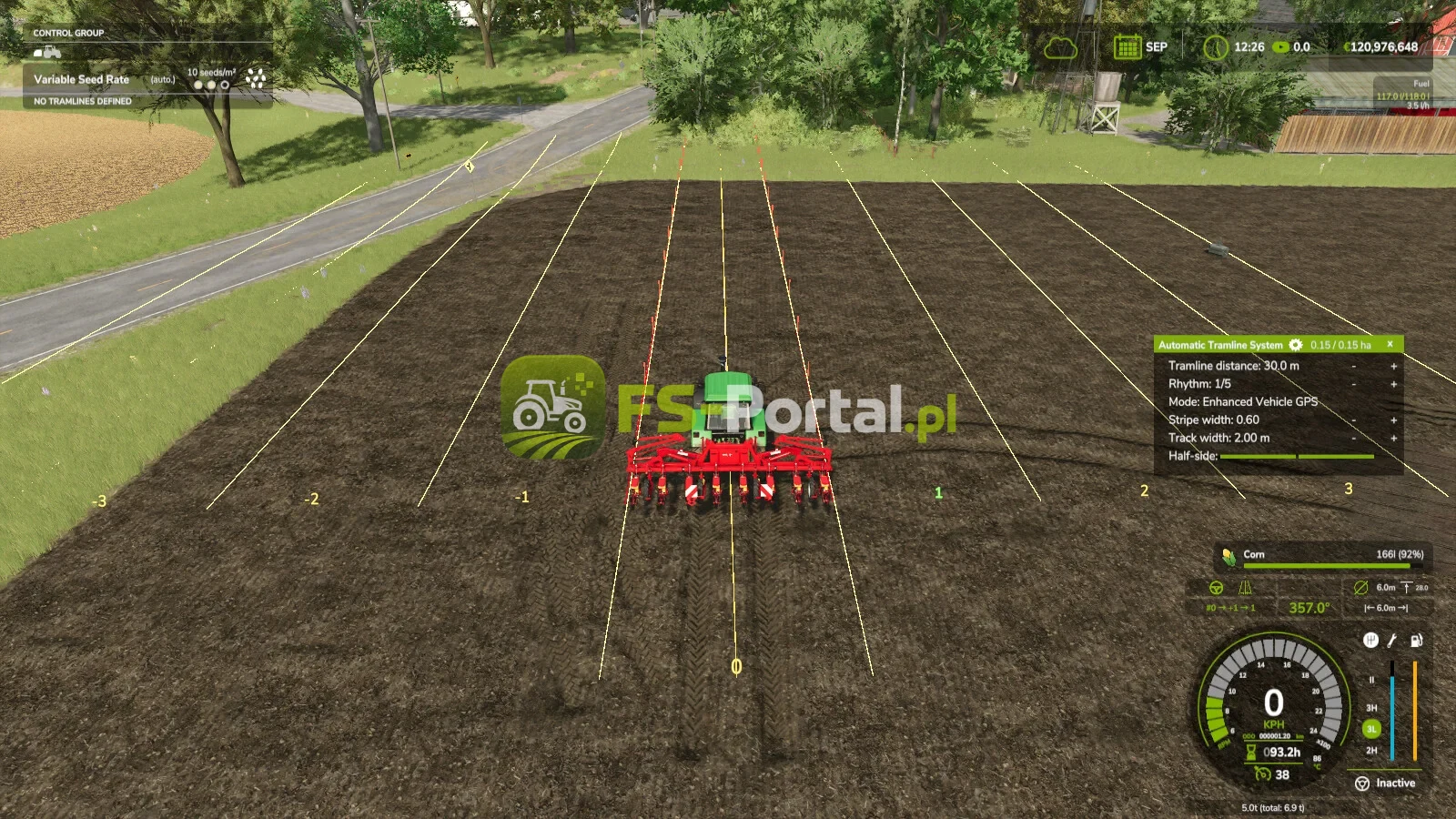
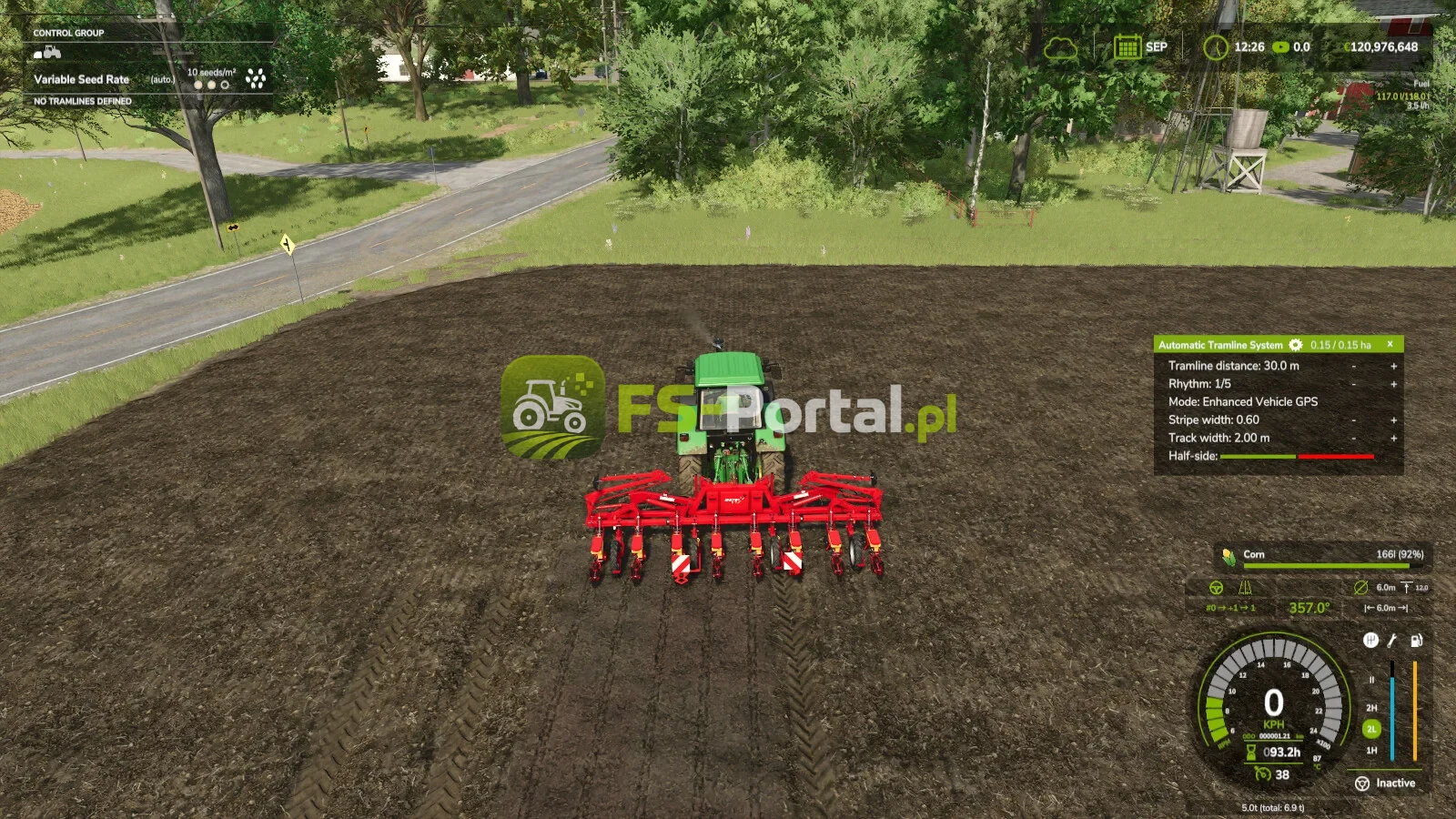

Opis moda
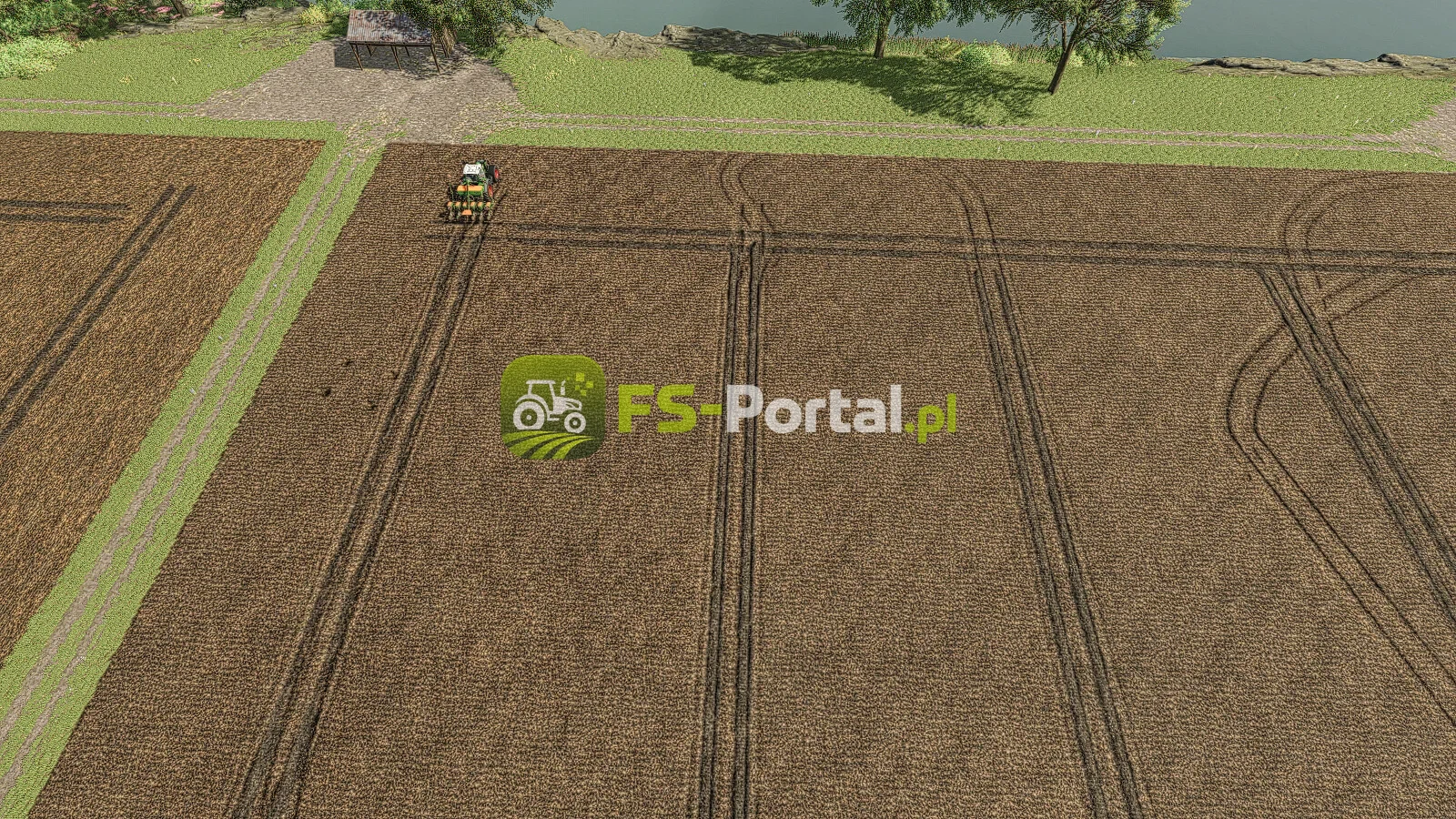
Automatyzacja linii tramwajowej dla FS25
To mój pierwszy mod skryptowy dla FS25. Ponieważ linie tramwajowe z Precision Farming nie zawsze mnie przekonywały. Automatycznie integruje się ze wszystkimi narzędziami, które mogą być używane jako siewniki.
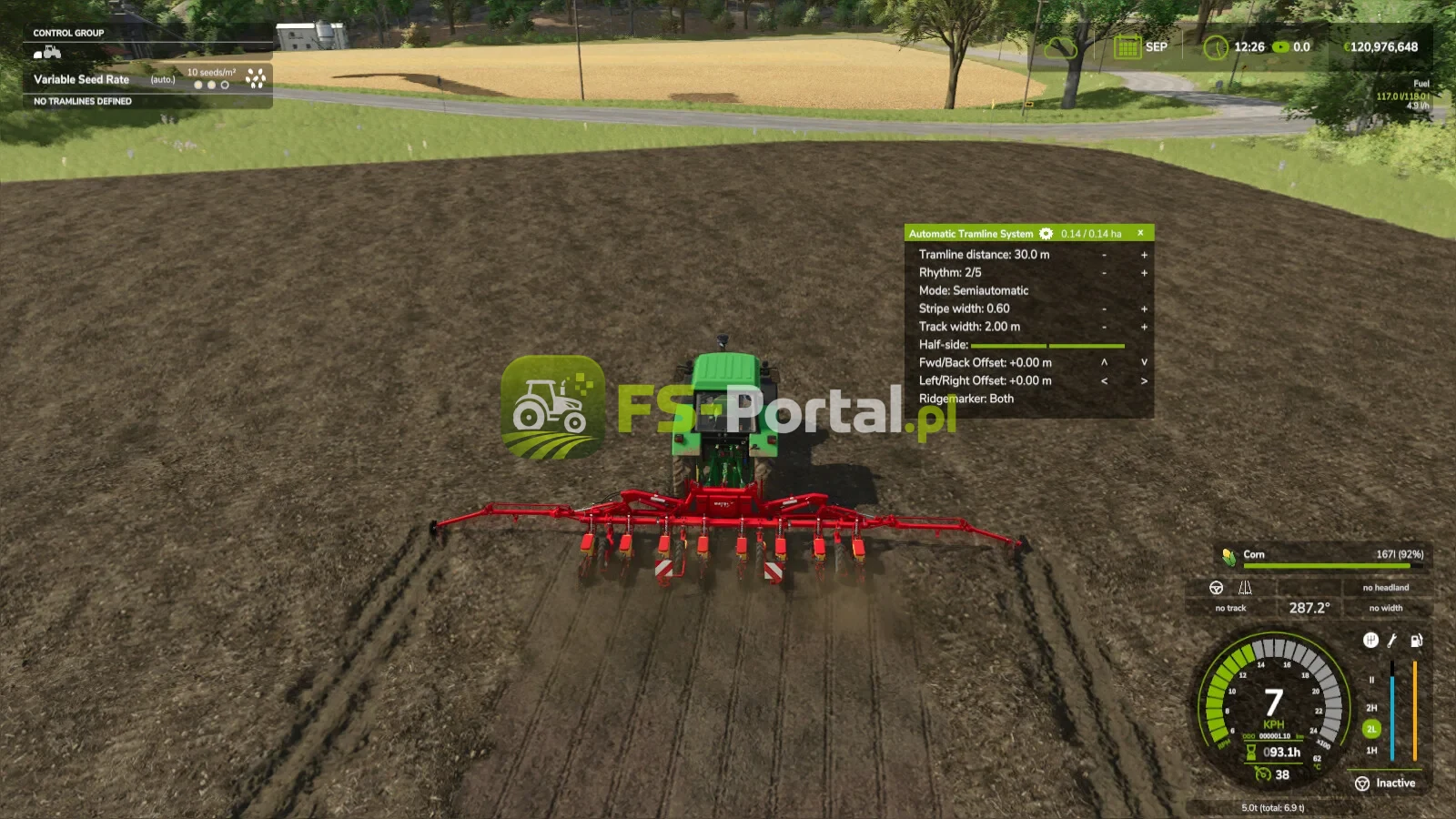
HUD może być sterowany za pomocą myszy, która może być aktywowana za pomocą przypisanego klucza.
Ustaw odległość linii tramwajowej:
Tutaj ustawiasz szerokość roboczą rozpylacza lub rozpylacza nawozowego.
Można to ustawić za pomocą dwóch przypisanych klawiszy lub klikając przyciskami plus i minus myszką.
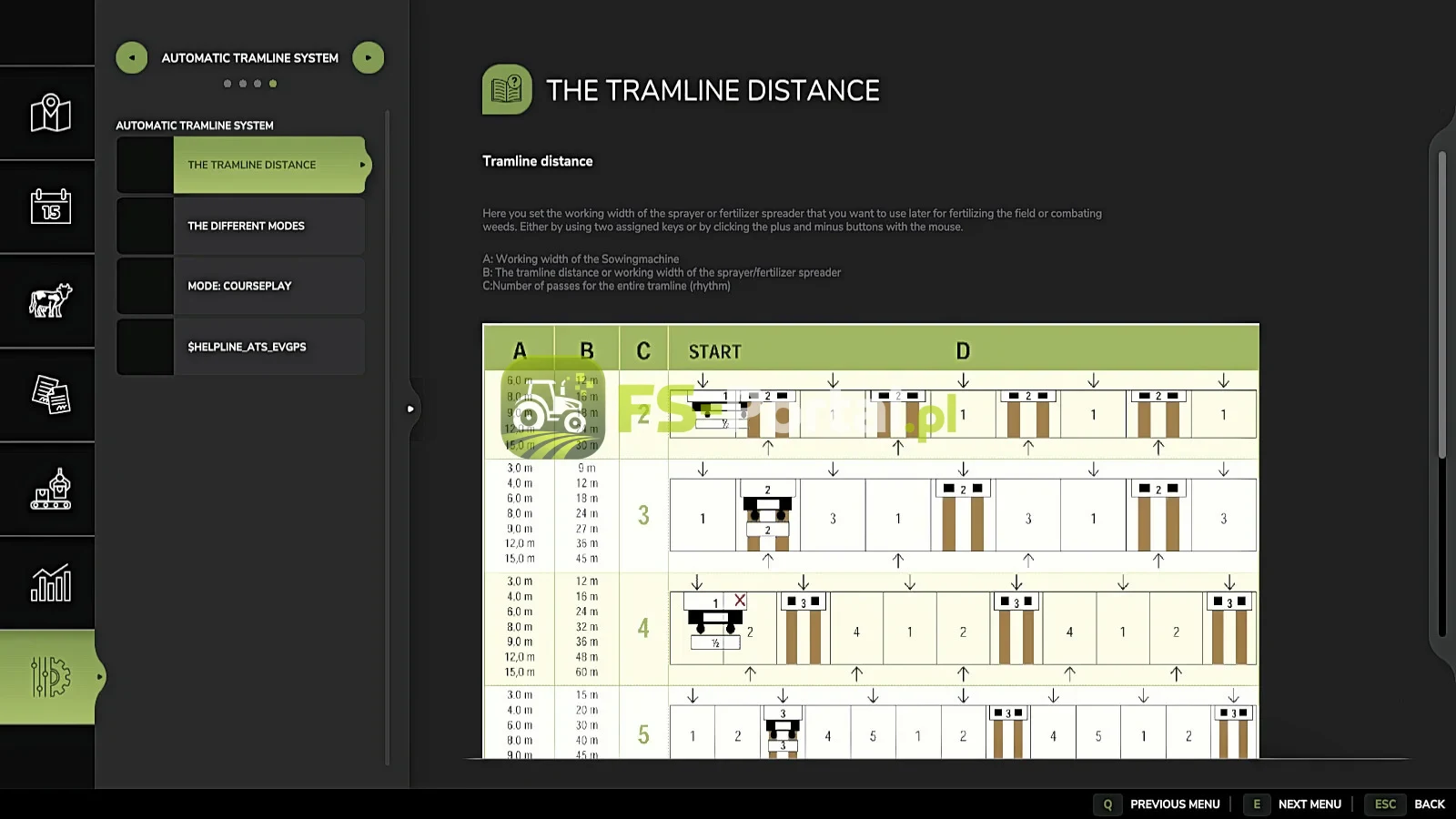
Rytm:
Tutaj można zobaczyć liczbę przepustek wymaganych dla jednej szerokości roboczej rozpylacza lub rozpylacza nawozowego.
W trybie półautomatycznym, prąd może być ustawiony na + i - w razie potrzeby.
Odnoszę się tutaj do stron pomocy dostępnych obecnie w grze w menu ESC.
Przepustka powinna być wykonana tylko na drugim.
Jeśli używasz GPS i pół przepustki jest wymagane, powinno wyglądać tak:
Pierwsze podanie w normie. Począwszy od drugiego przejścia, ustawić przesunięcie o połowę szerokości roboczej w menu GPS. Zobacz opis poniżej w trybie Offset GPS.
Tryb:
Aktywny tryb pracy automatyki tramline można zmienić za pomocą przypisanego klawisza lub za pomocą myszy, klikając na wybrany tryb.
Pauza:
Nie zostaną stworzone linie tramwajowe.
Licznik jest wstrzymany.
Zawsze:
Linie tramwajowe są zawsze aktywne, gdy narzędzie jest obniżane.
GPS:
Automatyczne wykrywanie toru poprzez GIANTS Sterownik Assist.
Na początku należy ustawić ścieżkę odniesienia. Można to zrobić używając przypisanego klucza.
półautomatyczne:
Liczenie odbywa się poprzez podniesienie / obniżenie zakresu wdrażania.
Symbol za nim wskazuje, czy linia tramwajowa jest obecnie tworzona.
Wzmocniony GPS pojazdu: Automatyczne wykrywanie pasa ruchu
Za pomocą wzmocnionego GPS pojazdu, tryb ten jest dostępny tylko wtedy, gdy aktywny jest zaawansowany kurs GPS pojazdu.
Bieżące podanie może być ustawione za pomocą przycisków plus i minus, jeśli nie pasuje.
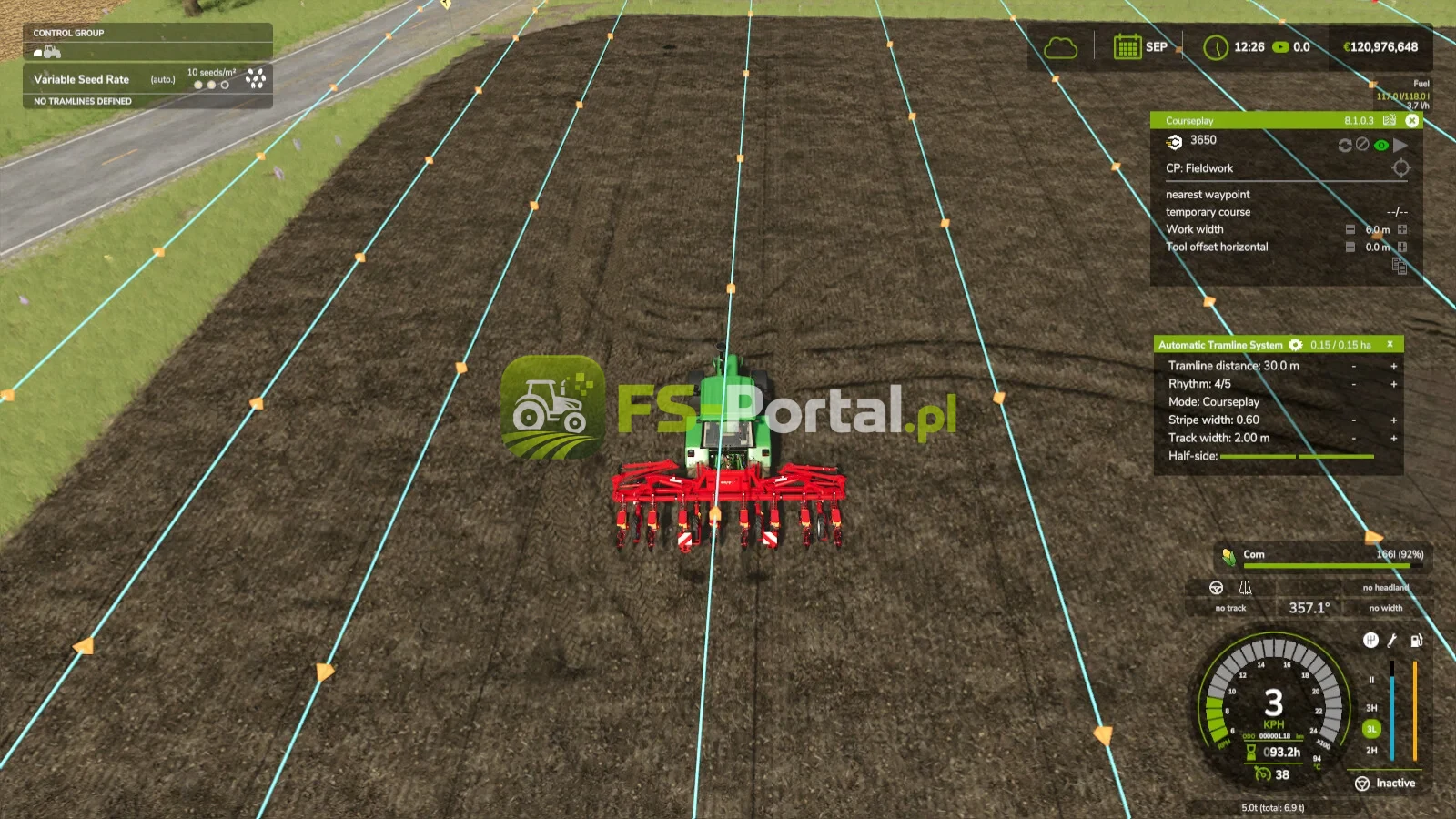
Courseplay: Tryb ten jest dostępny tylko w przypadku instalacji Courseplay.
Proszę przeczytać stronę pomocy do tego!
Offset GPS:
Wymóg: tryb GPS
Ponieważ z parzystą liczbą rytmiczną musisz pracować z połową szerokości roboczej na pierwszym przejściu, można ustawić przesunięcie, aby tor nie zaczął skakać.
Wartość ta może być dostosowana za pomocą przypisanego klawisza lub za pomocą myszy przy użyciu przycisków + i - obok rytmu.
W trybie GPS przyciski te są przebudowywane, aby zwiększyć lub zmniejszyć przesunięcie GPS.
Szerokość toru:
Tutaj można zobaczyć skonfigurowaną szerokość toru tramline.
Można to regulować dwoma przypisanymi kluczami lub klikając przyciskami plus i minus myszką, aby dopasować szerokość toru ciągnika, ponieważ mniejsze ciągniki mają węższą szerokość toru niż większe ciągniki.
Przyciski:
Odległość linii tramwajowej + / -: Zwiększenie lub zmniejszenie odległości linii tramwajowej
Włączenie / wyłączenie CURSOR: Pokaż lub ukryj wskaźnik myszy
Przełącznik trybu tramline: Przełącz tryb tramline
GPS Reference Lane set: Ustawia ścieżkę odniesienia GPS
reference - ½ lane lub reference + ½ lane: przesuń ścieżkę odniesienia GPS o połowę szerokości roboczej w prawo lub w lewo
Szerokość toru + / -: Reguluje szerokość toru od 1m do 6m
Autorzy moda
Historia zmian
V1.7.0.0
Istnieją teraz dwa tryby dla GPS - jeden normalny tryb jak wcześniej, i tryb automatycznie GPS, który teraz generuje przejścia w oparciu o kurs GPS, co oznacza, że ten tryb teraz działa jak tryb Courseplay, ale dla standardowego GPS.
Dostosowanie dla dodatkowych ustawień gry mod - kolor zielony jest teraz również zmieniony, gdy w tym modu jest ustawiony inny kolor.
Znalazłeś Robala? Zapiszcie go tutaj https: / / forum.giants-companie.com / viewtopic.php? t = 219015
V1.6.0.0 Starsza wersja
V1.5.0.0 Starsza wersja
For some Sowingmachine the auto mode has been fixed in general, as it was partially not switching at all.
New key added where you can now trigger a Tramline at any time in any mode with a key press — however ATTENTION this must also be deactivated again via the key, as it overrides all modes.
V1.4.0.0 Starsza wersja
Two new rows added where you can now set the position of the track lane behind the seed drill — these are accessed via the gear icon.
Since it did not fit correctly on some Sowingmachine, it can now be adjusted.
On the Alpego DMAX 800 + Rubber Seeding Units, the track lane is now created centered by default.
Ridgemarkers can now be controlled with 5 different modes. The setting is also accessed via the gear icon.
You can now deactivate the pre-emergence marking so that the Tramlines are only visible from the first growth stage onwards.
Help pages updated for the new settings.
Pokaż 3 starsze wydania
V1.3.0.0 Starsza wersja
An additional row has been added where you can set the lane width for maps with more ground angles where the grid is smaller.
V1.2.0.0 Starsza wersja
Enhanced Vehicle GPS support added with new mode "Enhanced Vehicle GPS"
Help page added in the ESC menu where you can read what each mode does and how it works, including a graphic for tramline distances
Two hectare counters added, one of which can be reset — a key must be assigned for this
The HUD has been removed from the F1 display and added as its own HUD, as it caused too many problems
The HUD can be moved and closed with the mouse and reopened with the mouse cursor toggle key
The values and HUD position are now saved
Manual mode renamed to Semiautomatic
Two additional buttons added for adjusting the current pass if you don't want to use the mouse
Hectare counter added, one resettable counter and one total counter, reset via an assigned key.
V1.1.0.0 Starsza wersja
Fixed a bug where the HUD wasn't always displayed when too many keys were in the F1 menu.
Fix for SKY Agriculture Pack
Ridgemarkers auto mode fixed — switching sequence now works correctly, previously it did not switch at one with an odd number of lanes.
For some Sowingmachine the auto mode has been fixed in general, as it was partially not switching at all.
New key added where you can now trigger a Tramline at any time in any mode with a key press — however ATTENTION this must also be deactivated again via the key, as it overrides all modes.
Save on dedicated servers adjusted the HUD position, GPS reference line and the half-side deactivation are now saved correctly.
Two new rows added where you can now set the position of the track lane behind the seed drill — these are accessed via the gear icon.
Since it did not fit correctly on some Sowingmachine, it can now be adjusted.
On the Alpego DMAX 800 + Rubber Seeding Units, the track lane is now created centered by default.
Ridgemarkers can now be controlled with 5 different modes. The setting is also accessed via the gear icon.
You can now deactivate the pre-emergence marking so that the Tramlines are only visible from the first growth stage onwards.
Help pages updated for the new settings.
The HUD is now also displayed when the seed drill is not selected.
An additional row has been added where you can set the lane width for maps with more ground angles where the grid is smaller.
Courseplay support added with new mode "Courseplay"
Enhanced Vehicle GPS support added with new mode "Enhanced Vehicle GPS"
Help page added in the ESC menu where you can read what each mode does and how it works, including a graphic for tramline distances
Two hectare counters added, one of which can be reset — a key must be assigned for this
The HUD has been removed from the F1 display and added as its own HUD, as it caused too many problems
The HUD can be moved and closed with the mouse and reopened with the mouse cursor toggle key
The values and HUD position are now saved
Manual mode renamed to Semiautomatic
Two additional buttons added for adjusting the current pass if you don't want to use the mouse
Hectare counter added, one resettable counter and one total counter, reset via an assigned key.
Fixed a HUD bug where the HUD was displayed for everyone on a dedicated server even though only one person was in the seeder
Fixed a bug where the HUD wasn't always displayed when too many keys were in the F1 menu.

Komentarze